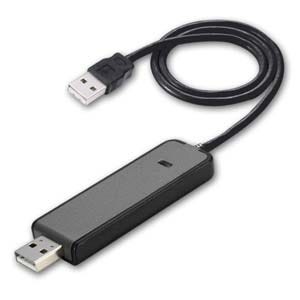
Top 5 Myths About Data Transfer Cables Debunked
When it comes to data transfer cables, misinformation abounds, leading many to misunderstand their functionality and effectiveness. One of the most prevalent myths is that all data transfer cables are the same, but this couldn't be further from the truth. Different cables, such as USB, Thunderbolt, and HDMI, serve distinct purposes and support varying transfer speeds and data types. For instance, a USB-C cable may provide faster charging and data transfer compared to a standard USB-A cable. Understanding these differences is crucial for anyone looking to maximize their device connections.
Another common misconception is that longer data transfer cables always result in slower speeds. While it's true that cable length can impact performance, the specific technology and materials used in the cable play a far more significant role. High-quality, well-shielded cables can maintain their speed over longer distances, while inferior cables may struggle, regardless of length. Thus, it's essential to invest in reputable brands to ensure optimal data transfer rates, regardless of the distance the signal must travel.
If you're looking for reliable charging and data transfer options, check out the Top 10 Long USB C Cables. These cables offer varying lengths to suit your needs, ensuring convenience while maintaining high performance. Whether for your laptop, smartphone, or other devices, investing in a quality USB C cable can enhance your user experience.
Do All Data Transfer Cables Offer the Same Speed?
When it comes to data transfer cables, speed is a critical factor that varies significantly between different types. Not all cables are created equal; for instance, USB 2.0 cables offer a maximum speed of 480 Mbps, whereas USB 3.0 cables can achieve speeds up to 5 Gbps, and the latest USB 3.1 and USB 3.2 versions push this limit even further, reaching 10 Gbps and beyond. Additionally, specialized cables like Thunderbolt can provide even faster transfer rates, serving as a viable alternative for high-performance devices. Therefore, when selecting a data transfer cable, it’s essential to consider its specifications to ensure that you're not bottlenecking your device's performance.
Another important aspect to consider is the quality of the materials used in the construction of the cables. Inferior cables may not only underperform but can also lead to connectivity issues. Look for features such as shielding, which helps minimize interference, and durable connectors that ensure a secure fit. In conclusion, to maximize the efficiency of your data transfers, always opt for cables that not only meet but exceed the performance specifications of your devices to achieve the best data transfer speeds possible.
How to Choose the Right Data Transfer Cable: Myths vs. Reality
Choosing the right data transfer cable can be a daunting task, especially with the myriad of options available in the market today. A common myth is that all cables serve the same purpose, which is far from reality. Different cables are designed for specific functions and capacities, and not all are compatible with every device. For instance, USB-C cables can vary greatly in speed and power delivery capabilities, so it’s essential to understand your device's requirements before making a purchase. Additionally, myths surrounding expensive cables being significantly better can often lead to confusion—while price can correlate with quality, it doesn't always guarantee superior performance.
In reality, selecting the right data transfer cable involves knowing a few key facts. First, always check the data transfer speeds that the cable supports; for example, USB 3.0 offers much faster speeds than USB 2.0. Second, consider the length of the cable you need; longer cables can result in signal degradation, which affects performance. Finally, it's beneficial to invest in reputable brands known for quality and durability to ensure you aren't just buying into a myth of brand superiority but actually getting value for your money. Remember these tips, and you'll be well on your way to making the best choice for your data transfer needs.